> ## Documentation Index
> Fetch the complete documentation index at: https://api-docs.select.dev/llms.txt
> Use this file to discover all available pages before exploring further.
# Quickstart guide
> Get started with the SELECT API
## Welcome
All API endpoints are accessed via the base URL `https://api.select.dev/`.
## Authentication
All API endpoints are authenticated using Bearer tokens. You'll need to create an API key in the [SELECT dashboard](https://select.dev/app).
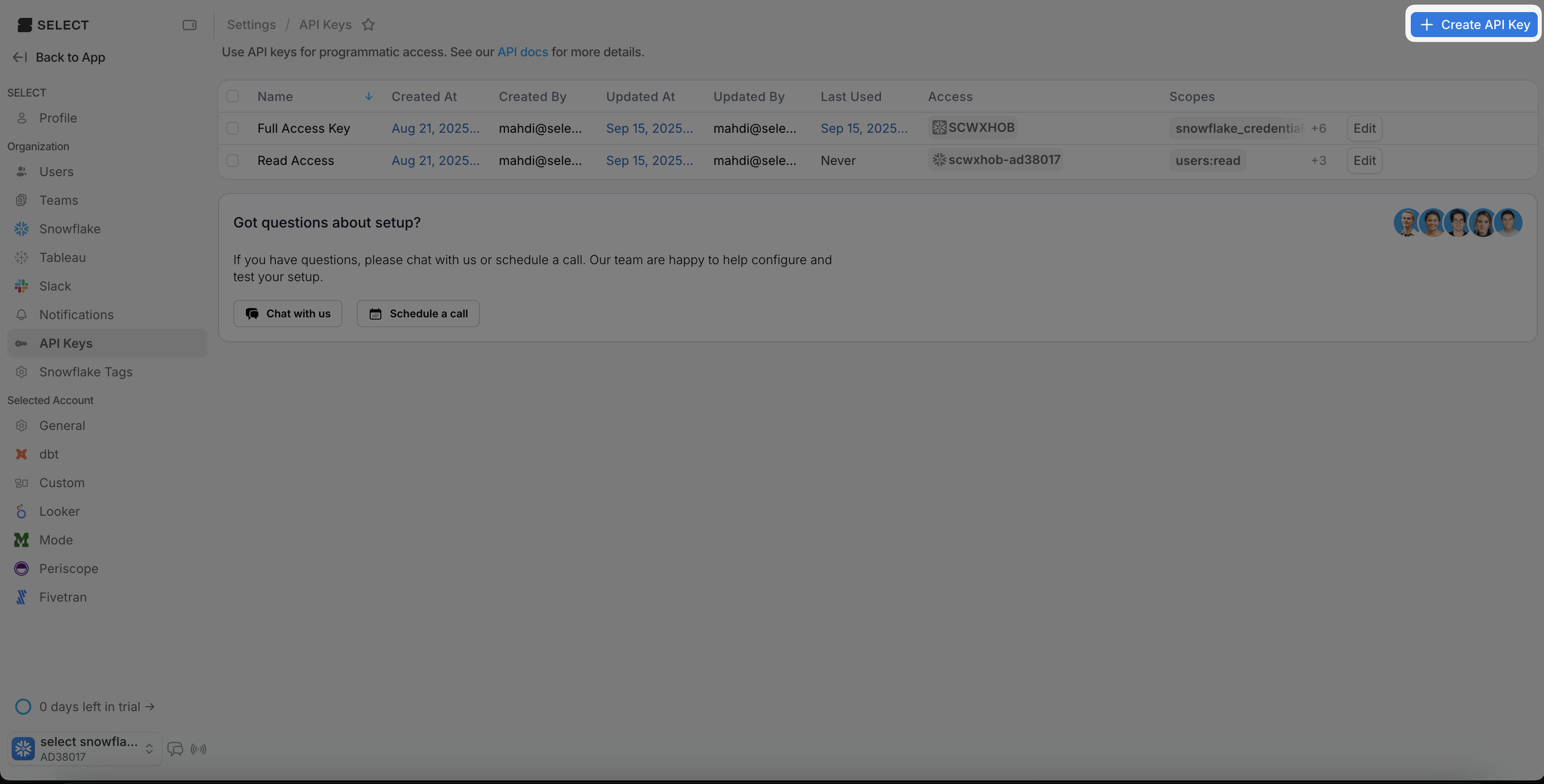
Head to Settings -> API Keys and click on "Create Key"
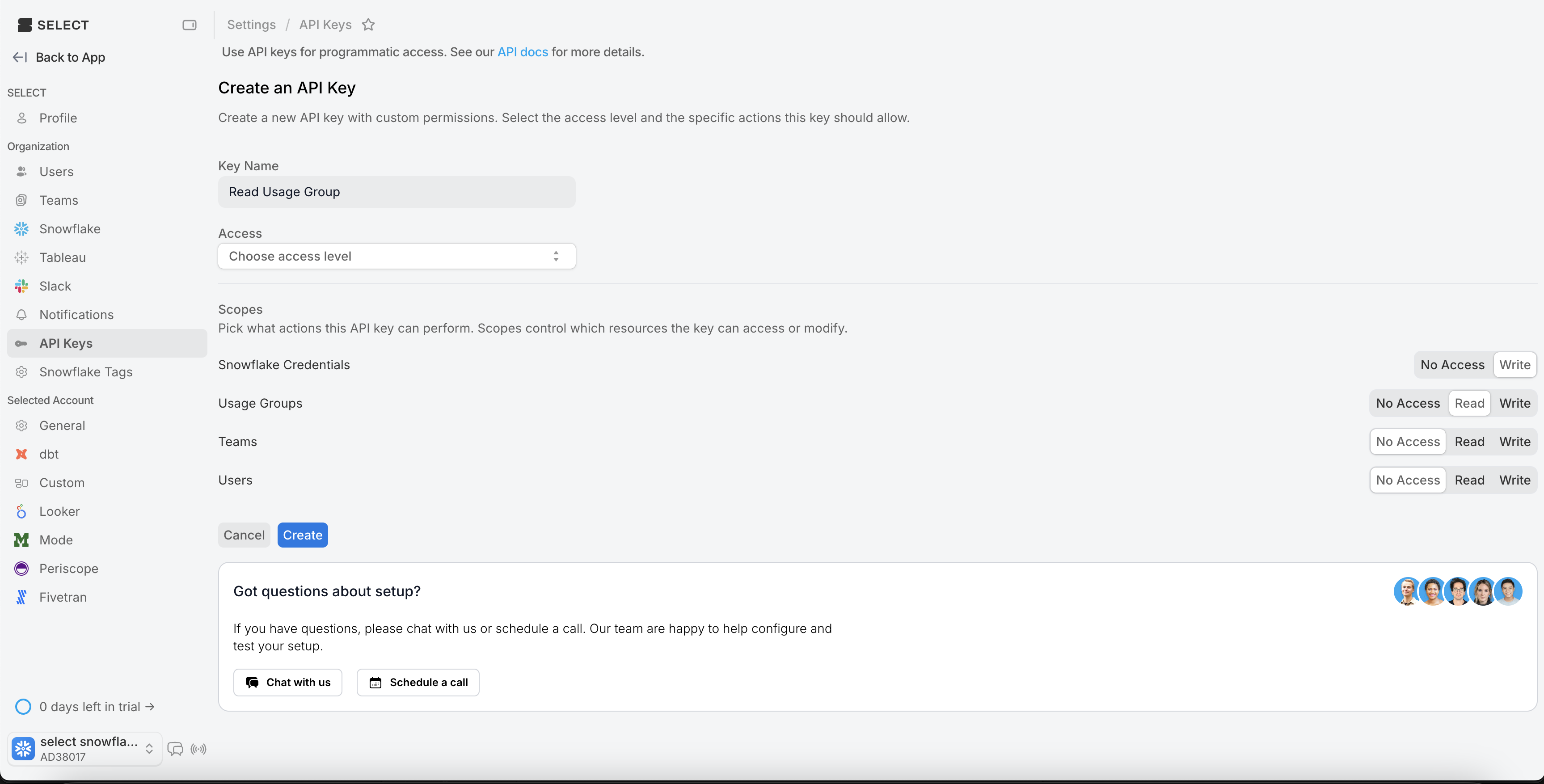
 You can select an access level and scopes for the key.
 Then, once you have an API key, you can use it to fill in the `Authorization` header with a Bearer token for your requests.
```bash theme={null}
curl -H "Authorization: Bearer YOUR_API_KEY"
```
### Organization ID
Many of these routes require an `organization_id` as a path parameter. This refers to the SELECT organization associated with your API Key. It can be found in the SELECT app by navigating to settings by clicking the gear in the bottom right of the page and viewing your profile information.
## Responses
We use standard HTTP response codes to indicate the status or failure of API requests.
If there is an error, the API response body will be JSON, and contain more detailed information on the nature of the error.
Here's an example of a response when you don't include a required json body field. We use the [Pydantic](https://errors.pydantic.dev/) library to validate input and generate the error response.
```json theme={null}
{
"type": "missing",
"loc": ["body", "private_key_passphrase"],
"msg": "Field required",
"input": {},
"url": "https://errors.pydantic.dev/2.9/v/missing",
}
```
Let's head over to the API reference next to see how to use the API.
Then, once you have an API key, you can use it to fill in the `Authorization` header with a Bearer token for your requests.
```bash theme={null}
curl -H "Authorization: Bearer YOUR_API_KEY"
```
### Organization ID
Many of these routes require an `organization_id` as a path parameter. This refers to the SELECT organization associated with your API Key. It can be found in the SELECT app by navigating to settings by clicking the gear in the bottom right of the page and viewing your profile information.
## Responses
We use standard HTTP response codes to indicate the status or failure of API requests.
If there is an error, the API response body will be JSON, and contain more detailed information on the nature of the error.
Here's an example of a response when you don't include a required json body field. We use the [Pydantic](https://errors.pydantic.dev/) library to validate input and generate the error response.
```json theme={null}
{
"type": "missing",
"loc": ["body", "private_key_passphrase"],
"msg": "Field required",
"input": {},
"url": "https://errors.pydantic.dev/2.9/v/missing",
}
```
Let's head over to the API reference next to see how to use the API.